
Free YouTube likes and subscribers don’t come from a site, an app or a hack, but from giving viewers a reason to come back. That starts with a channel that shows at once what you make, and with videos people watch to the end. Below you’ll find what helps, step by step, how to get more likes on your videos, and which hacks you are better off leaving alone.
The short answer
- Free likes come from videos viewers feel were worth their time, and from asking for a like at a natural moment, for example right after your best tip.
- Free subscribers come from one clear topic, a well set up channel and regular uploads. Most of them arrive through a handful of videos that get found or recommended, so spend your time on titles, thumbnails and the first 30 seconds.
- Sites, apps and “hacks” for free YouTube likes or subscribers run on exchange systems (sub4sub) and bots, or ask for your Google login. YouTube regularly removes likes and subscribers like these.
- Buying subscribers only raises the number. It doesn’t bring you viewers or watch time.
Why free YouTube like and subscriber hacks are a bad idea
Search for free YouTube likes or a free subscribers hack and you’ll find plenty of sites promising them, sometimes as a “free trial”. Almost all of them work in one of these ways:
- You log in with your Google account. That gives a stranger access to your channel, and often to your Gmail and other Google services too.
- You like or subscribe to other channels to earn points. The likes and subscribers you get in return don’t watch your videos, and YouTube treats trading subscriptions (sub4sub) as fake engagement.
- You have to install an app or complete a “verification” first. After that, the likes or subscribers often never arrive, but your data is gone.
Other services use bots: accounts that like and subscribe automatically. YouTube regularly removes spam accounts from its counts, so likes and subscribers like these usually disappear again. Never enter your Google password on another site.
Step 1: create a channel that is clear at a glance
A YouTube channel is free with a Google account: click your profile picture on YouTube and choose to create a channel. For a business, use a Brand Account, so you can give others access without sharing your password. Then set up the following in YouTube Studio under Customization:
- Name and handle (@name): short, easy to remember and easy to spell.
- Profile picture and banner that show what your channel is about.
- Description: two sentences on who you are, what you make and how often something new comes out.
- Channel trailer: a short video for people who haven’t subscribed yet, showing in a minute what they can expect.
- Watermark: a small logo in your videos that lets viewers on a computer subscribe straight away.
Step 2: pick a topic and an audience
Nobody subscribes to a channel about “a bit of everything”, because they can’t tell what is coming next. Pick a topic narrow enough to stand out, such as “Europe by train on a budget” rather than “travel”, and one you can make fifty more videos about. If small channels are doing well with it on YouTube, there is demand. You don’t need to be on camera: channels with just your voice or screen work too, as long as you make something of your own.
Step 3: make videos people keep watching
YouTube shows a video more often when viewers watch it for a long time. What helps:
- Start with what the video promises, not with a long intro. Viewers decide in the first 30 seconds whether to stay.
- Sound matters more than picture. A simple clip-on microphone does more than an expensive camera.
- Cut out silences and repetition, and make the video as long as the topic needs, no longer.
- Only ask people to subscribe once you have shown them something, for example after your best tip, and say why: “a new route every week”.
- Use an end screen with your next video and a subscribe button.
Step 4: make sure people can find you
Small channels are often found through search. Type your topic into the YouTube search bar and look at the suggestions: those are searches people actually use. Make videos about them, and pay attention to these:
- Title: put the search term at the front, and still make the title appealing to click.
- Thumbnail: one clear image and a few words at most, easy to read on a phone. If your channel has advanced features, you can test up to three thumbnails or titles against each other in YouTube Studio.
- Description: say in the first lines what the video is about, and add chapters with timestamps.
- Tags play only a minor role, according to YouTube itself. Your time is better spent on the title and thumbnail.
- Subtitles help people who watch without sound or speak another language.
Step 5: use Shorts to reach new viewers
Shorts reach lots of people who don’t know your channel yet. Cut clips from your long videos or share quick tips on your topic, and link each Short to the related long video so viewers can click through. Keep them on the same topic, though: subscribers who come in through a funny Short about something else rarely watch your long videos.
Step 6: build a bond with your viewers
- Reply to comments, especially in the first hours after uploading, and pin a good comment or question.
- Upload on a fixed schedule and mention it in your banner or description, for example “a new video every Thursday”.
- Use posts (formerly the Community tab) for polls and announcements once your channel has access to them.
- Go live now and then. Viewers who have talked with you come back more often.
Step 7: collaborate and share your videos outside YouTube
Teaming up with a channel of similar size on the same topic puts you in front of exactly the right viewers. Suggest something concrete, such as one video for each channel. Also share your videos where your audience already is: a Discord server or Facebook group on your topic, your newsletter, or short clips on TikTok and Instagram (read a group’s rules on self-promotion first).
Step 8: check YouTube Studio to see what works
Under Analytics you see for each video how many subscribers it brought in, how often its thumbnail was shown, how many people clicked and how long they watched on average. Make more videos like your best few. Give videos that are shown often but rarely clicked a better title and thumbnail, and check where viewers drop off in videos they leave early. For more on views, read how to get more YouTube views.
How to get free YouTube likes
Likes come from the same place as subscribers: viewers who feel a video was worth their time. What helps:
- Deliver early and keep it tight. Show in the first seconds that the video keeps the promise of its title. Viewers who click away or give up halfway never reach the moment you ask.
- Ask once, at the right moment: right after your best tip or the payoff of the video, not in the intro. Say why it matters, for example that a like tells you to make more videos like this one.
- Look at what works. YouTube Studio shows the likes per video: make more of the videos that get the most likes for their views.
What about buying YouTube subscribers?
You can, and it isn’t against the law for your own channel. But be aware of what you get:
- Your subscriber count goes up, and a channel with more subscribers looks more trustworthy to new visitors.
- Our subscribers come from real-looking, high-quality profiles. They are not active people: they don’t watch your videos, so they bring you no watch time or income.
- Nobody can promise you more reach or more real subscribers. YouTube decides for itself which videos it recommends.
- YouTube doesn’t allow buying in its terms and can remove part of it again. With us, usually 10 to 20 percent drops off, mostly in the first week, and we refill that free of charge within 90 days.
- We never need your password, only the link to your channel.
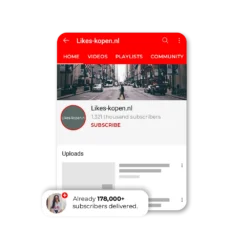
We have delivered over 170,000 YouTube subscribers so far. Using YouTube for a business or as an influencer? Then read whether buying likes is legal first: stricter rules apply to commercial use.
Frequently asked questions about free YouTube likes and subscribers
How can I get free YouTube likes?
Make videos viewers feel were worth their time, and ask for a like at a natural moment, for example right after a good tip. Likes from bots or exchange systems, which is what free like sites use, are often removed again.
Is there a hack for free YouTube subscribers?
Not one that lasts. Sites that promise free subscribers make you pay with your Google login, your time (subscribing to hundreds of channels yourself) or your data, and those subscribers usually disappear again. The only free subscribers who stay are people who want more of your videos.
How do you get your first 1,000 subscribers on YouTube?
Pick one topic, upload on a fixed schedule and make videos about what people search for within that topic. Your first subscribers usually come from one or two videos that do well in search. Check in YouTube Studio which ones those are, and make more of them.
How many subscribers do you need to make money on YouTube?
For ad revenue, YouTube requires at the time of writing 1,000 subscribers, plus 4,000 public watch hours in the last 12 months or 10 million public Shorts views in 90 days. For new applicants that becomes 8,000 watch hours or 20 million Shorts views from 1 February 2027. In a number of countries a lower threshold applies to features such as channel memberships. You can see the current requirements in YouTube Studio under Earn. More on this in how to make money with YouTube.
Why am I losing YouTube subscribers?
YouTube regularly removes spam accounts and closed accounts from subscriber counts, so even channels that never bought anything lose subscribers that way. People also unsubscribe when you switch topics or don’t upload for a long time.


Need help with your order?
Mazie and Jane from our customer service team help you through the live chat (Monday to Friday 9:00 to 20:00, Saturday 9:00 to 16:00) or by email at support@likes-kopen.nl. We usually reply within an hour, in Dutch, English, German or French. Meet our team.